In today’s fast-paced digital world, productivity has become one of the most valuable skills for professionals, students, entrepreneurs, and remote workers. With increasing workloads and constant digital distractions, people are searching for smarter ways to organize tasks, manage time, and collaborate effectively. Fortunately, modern technology provides powerful solutions through productivity apps designed to simplify daily workflows.
In 2026, productivity apps are more intelligent than ever, thanks to artificial intelligence, automation, and cloud-based collaboration tools. These apps help users manage projects, schedule tasks, store information, communicate with teams, and automate repetitive work. Instead of juggling multiple tools, many modern applications now combine several features into a single platform.
Whether you’re managing a business, studying for exams, or organizing personal goals, the right productivity apps can significantly improve efficiency and focus. In this article, we explore the top 10 apps revolutionizing productivity in 2026 and how they are helping people work smarter rather than harder.
1. Notion


4
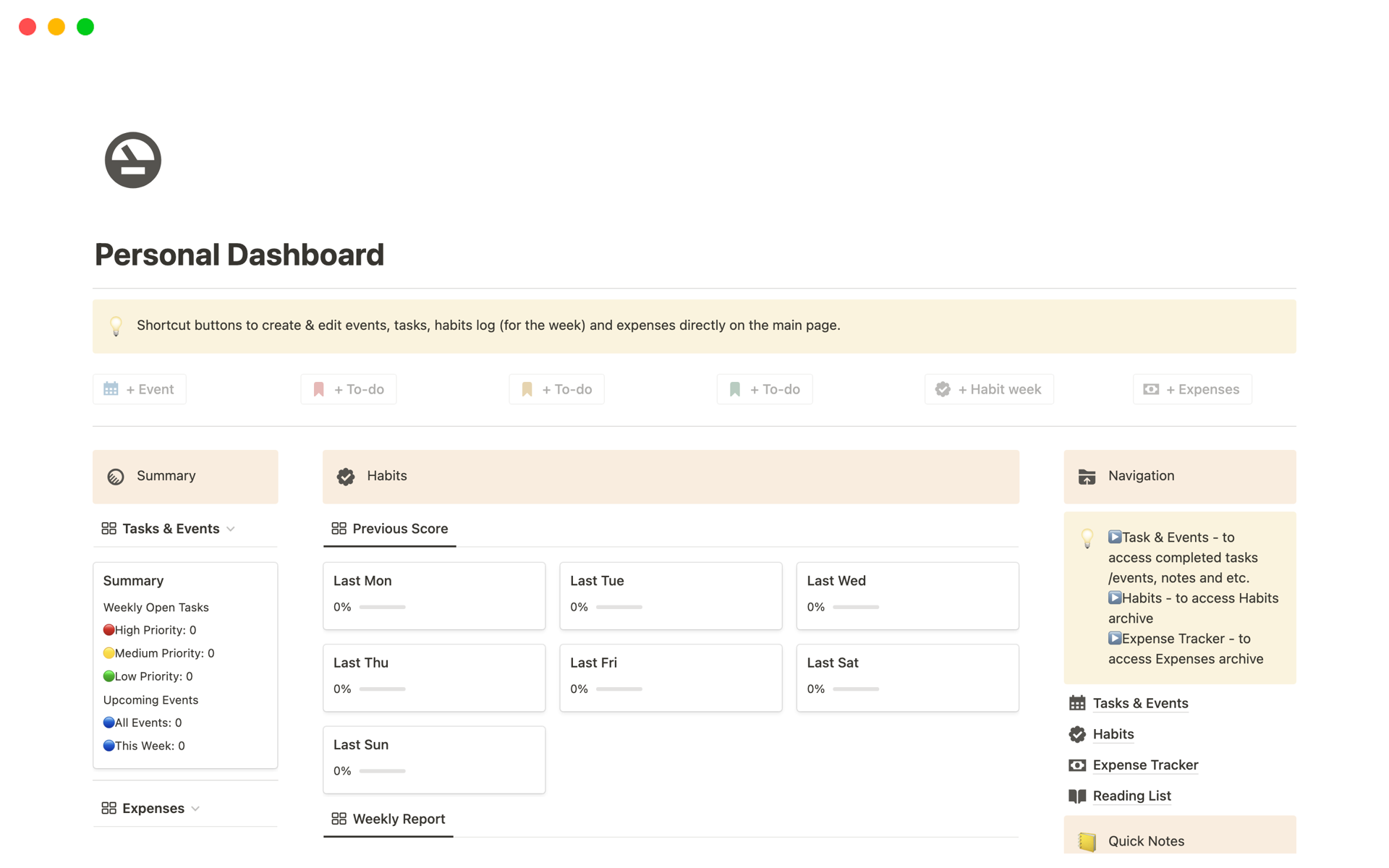
Notion has become one of the most versatile productivity tools available today. It functions as an all-in-one workspace that combines note-taking, task management, databases, and team collaboration.
Key Features
- Customizable workspaces
- Project and task tracking
- Team collaboration tools
- Knowledge management systems
- AI writing and organization features
Notion is popular among startups, freelancers, and students because it can replace multiple productivity apps with a single flexible platform.
2. Todoist
4
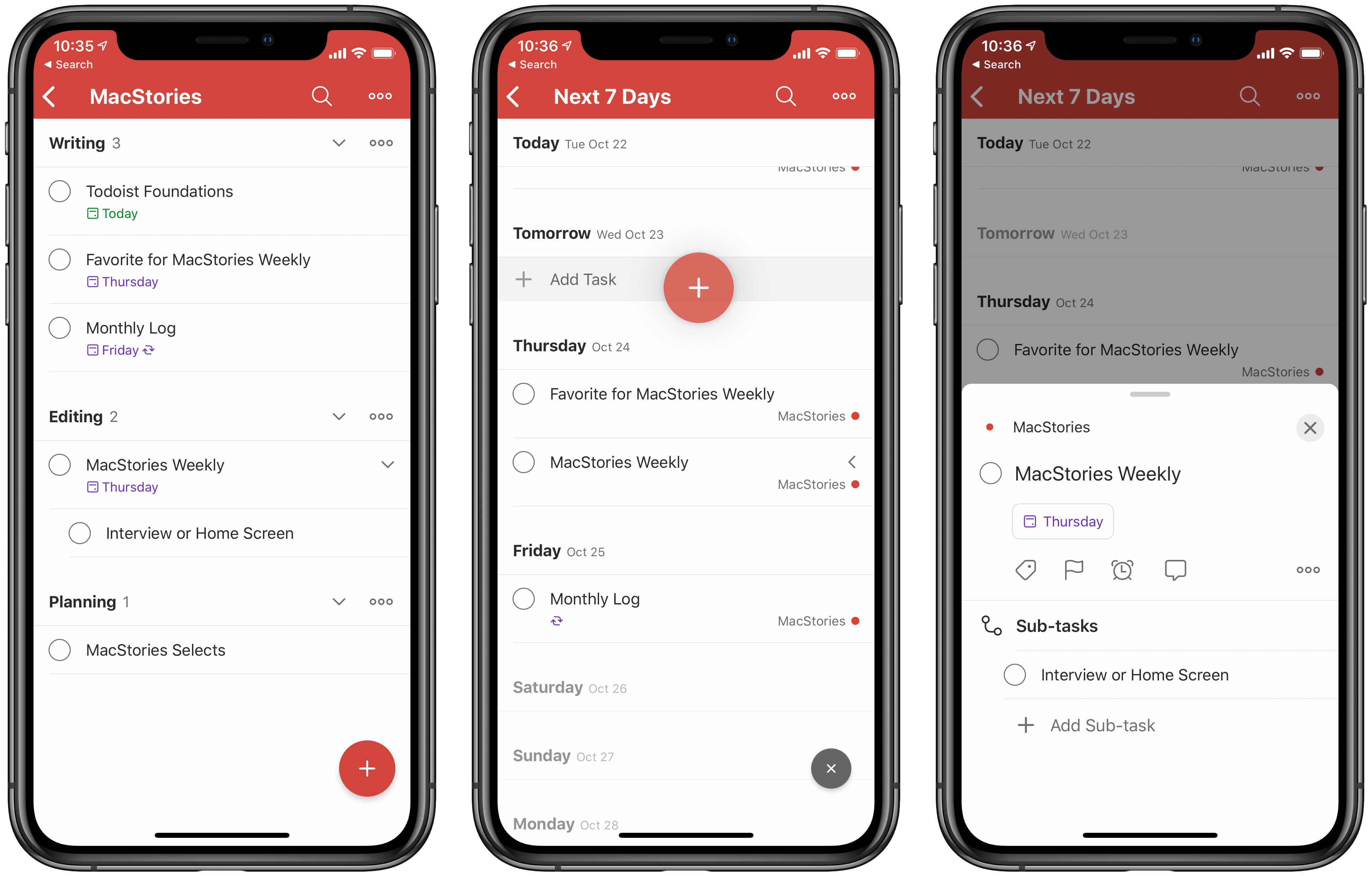
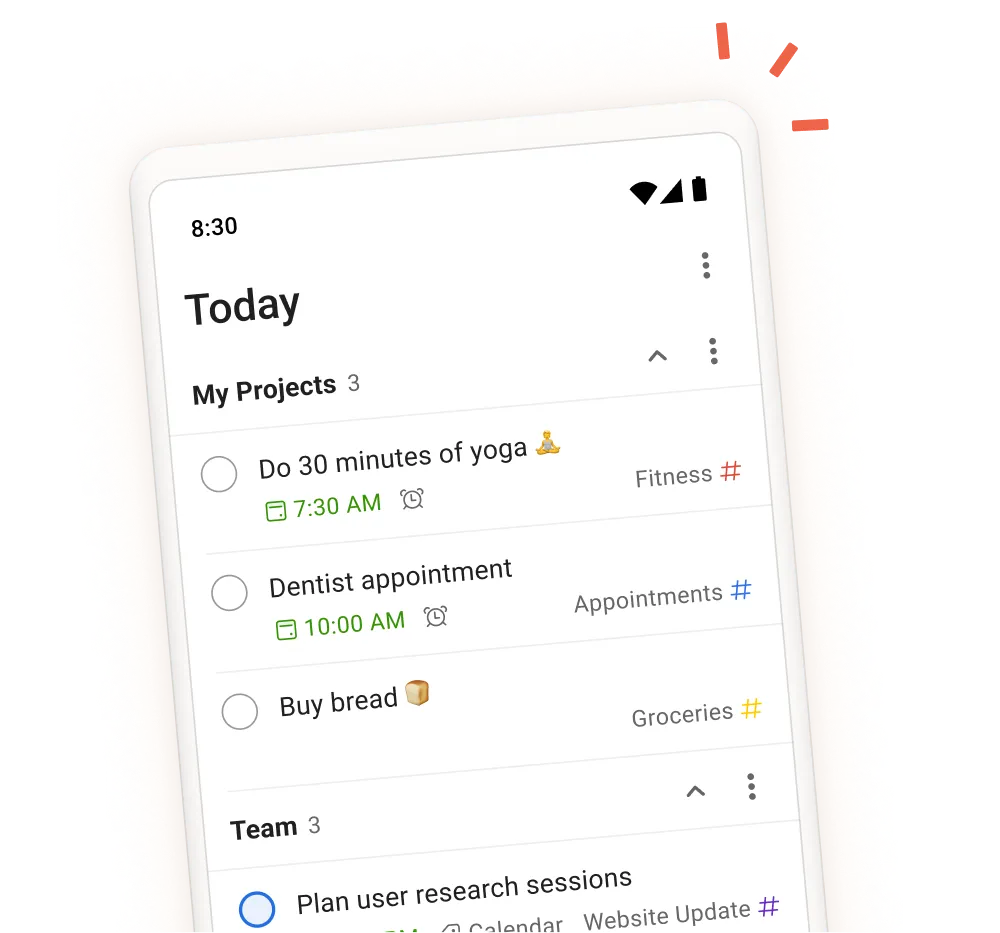
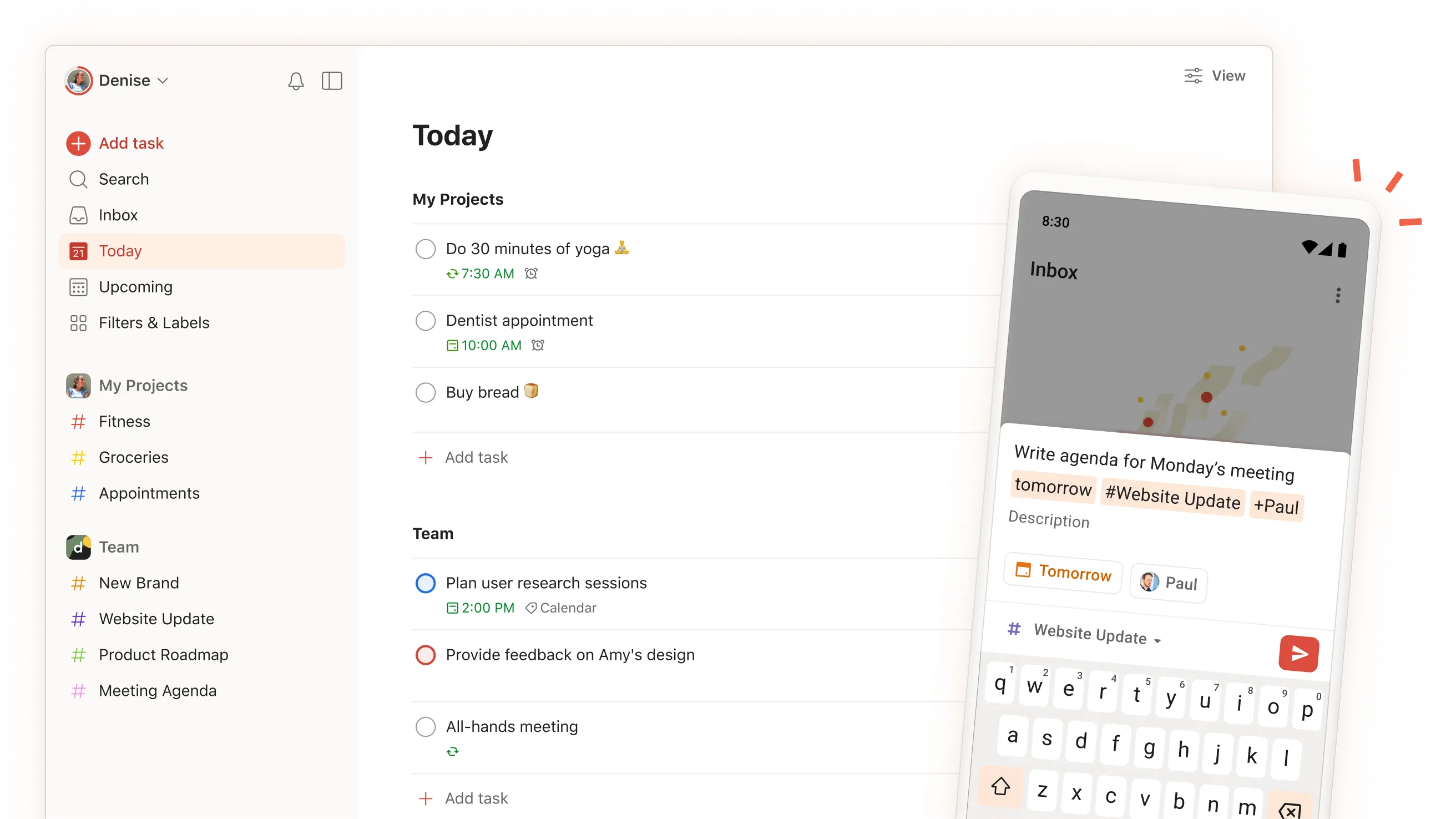
Todoist is one of the most powerful task management apps designed to help users stay organized and focused. Its simple interface makes it easy to create, track, and complete tasks efficiently.
Key Features
- Smart task scheduling
- Priority-based task organization
- Productivity tracking
- Cross-device synchronization
- Team collaboration options
Todoist is ideal for individuals who want a simple yet powerful tool to manage daily responsibilities.
3. Trello
4
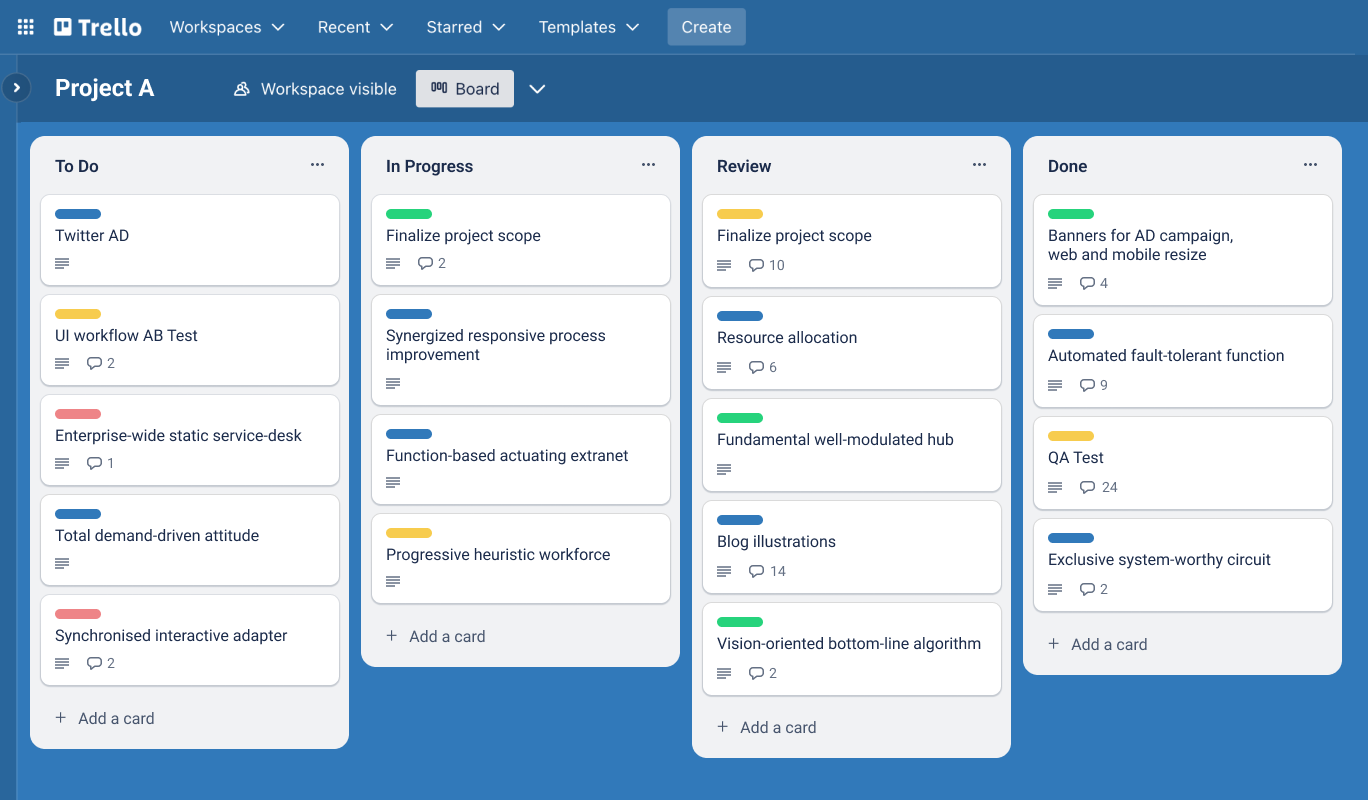
Trello uses a visual Kanban-style board system to help teams manage projects and workflows. Tasks are organized into cards that move between columns representing different stages of progress.
Key Features
- Visual project management boards
- Drag-and-drop task organization
- Team collaboration tools
- Workflow automation
- Integration with many other productivity apps
Trello is especially useful for creative teams, marketing departments, and project managers who prefer visual organization.
4. Slack

4
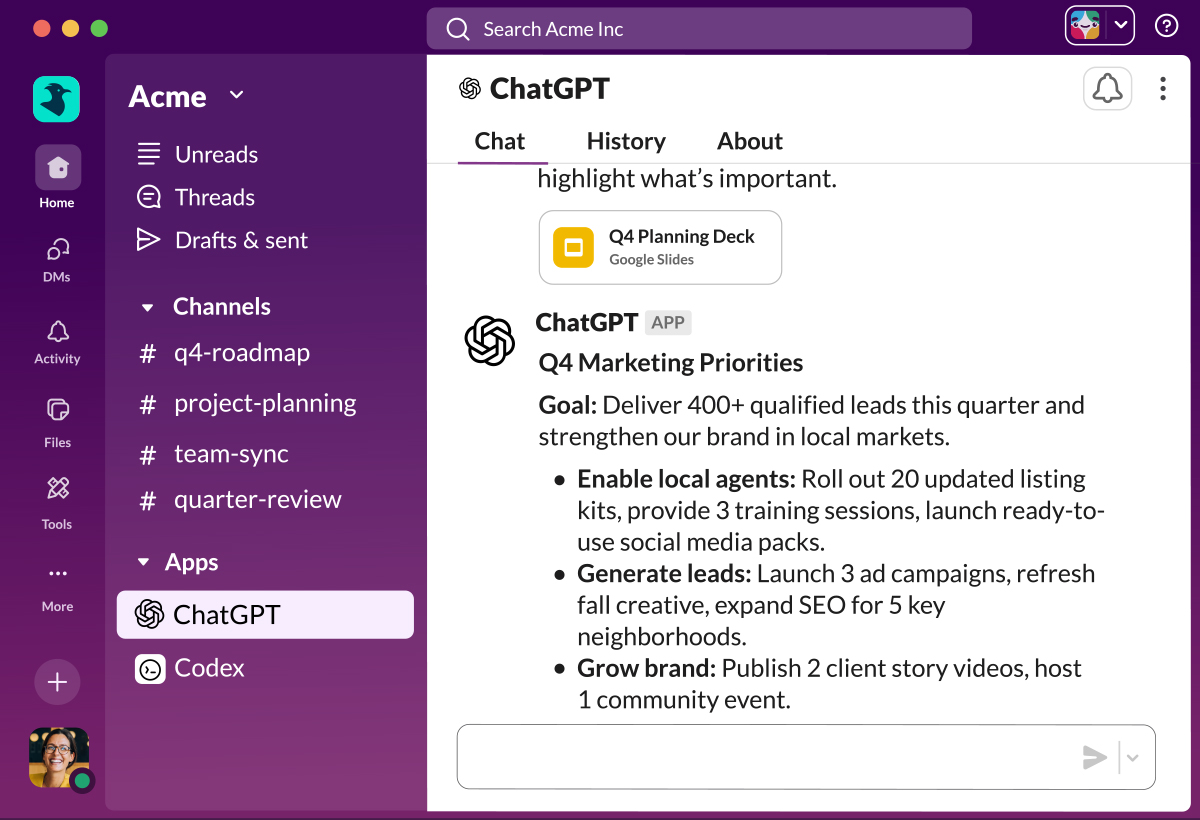
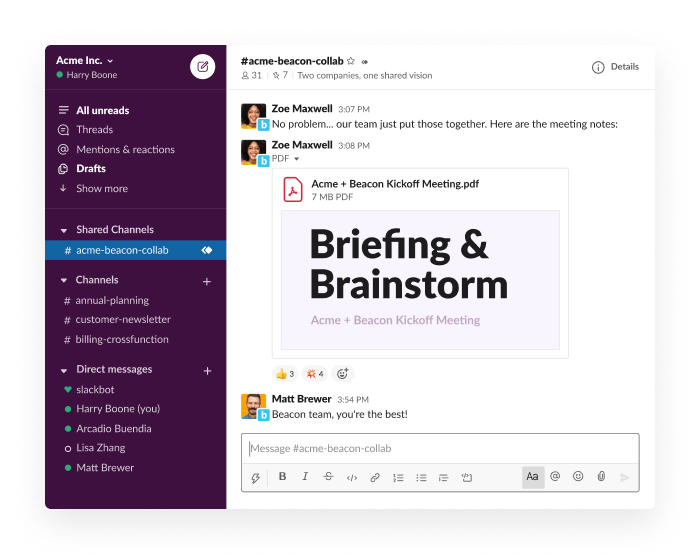
Slack has transformed workplace communication by replacing long email chains with organized messaging channels. Teams can collaborate quickly and efficiently through real-time discussions.
Key Features
- Team messaging channels
- File sharing and document collaboration
- Integration with productivity tools
- Video and voice calls
- Workflow automation
Slack is widely used by remote teams and global organizations to improve communication and coordination.
5. Microsoft OneNote



4
OneNote is a powerful digital notebook designed for capturing ideas, organizing notes, and managing information.
Key Features
- Structured notebooks and sections
- Handwritten notes and drawing support
- Audio recording for meetings or lectures
- Cloud synchronization across devices
- Integration with Microsoft Office tools
Students, researchers, and professionals use OneNote to keep important information organized in one place.
6. Google Drive


4
Cloud storage has become essential for modern productivity, and Google Drive remains one of the most widely used platforms.
Key Features
- Secure cloud file storage
- Real-time document collaboration
- Automatic backup and synchronization
- Integration with Google Docs, Sheets, and Slides
- Easy file sharing and permissions management
Google Drive enables teams to collaborate on documents from anywhere in the world.
7. ClickUp


4
ClickUp is an all-in-one productivity platform that combines task management, project planning, time tracking, and team collaboration.
Key Features
- Task management and scheduling
- Time tracking and productivity analytics
- Document collaboration
- Workflow automation
- Multiple project views
ClickUp is popular among businesses looking for a single platform to manage complex projects and teams.
8. Evernote

4
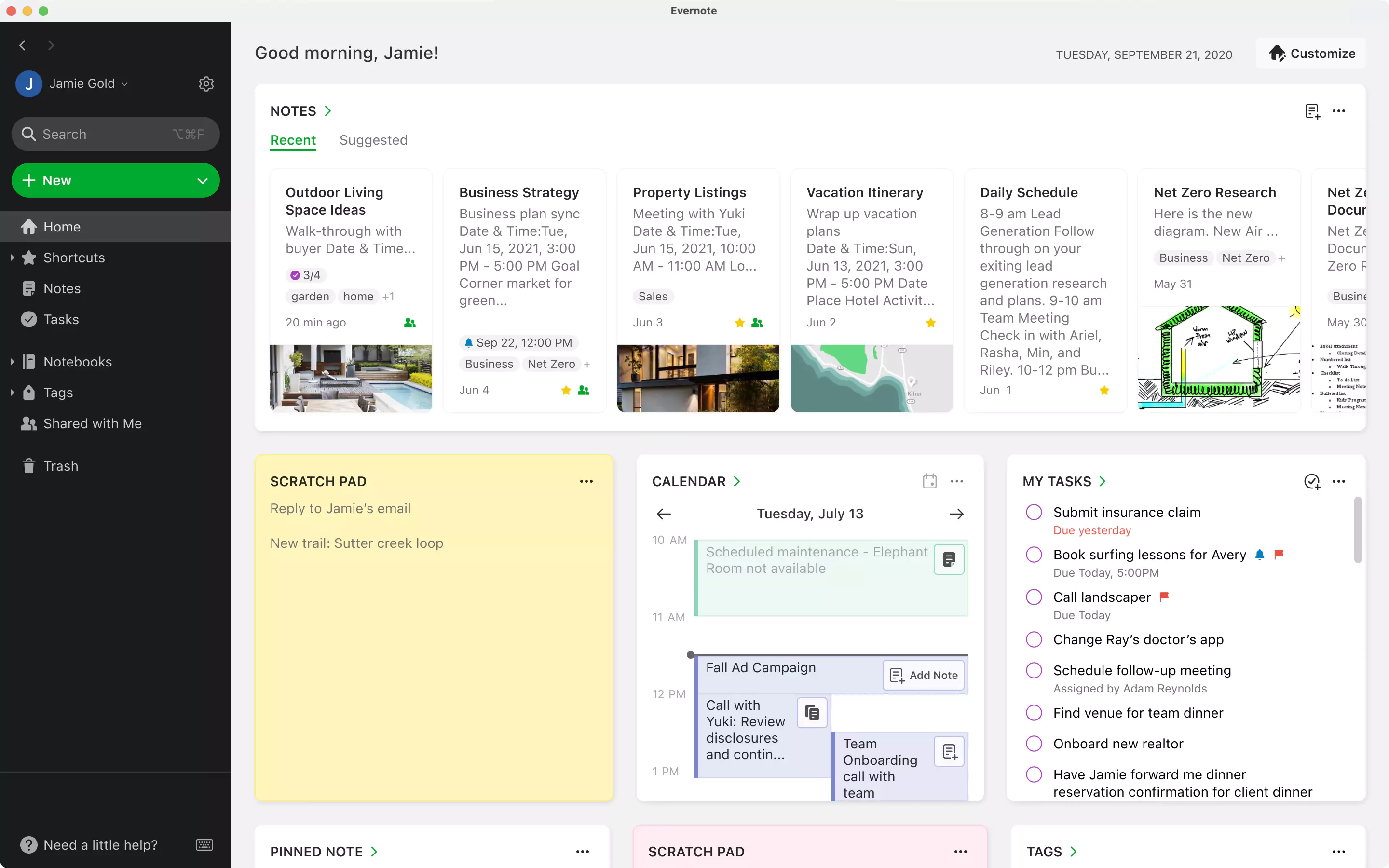
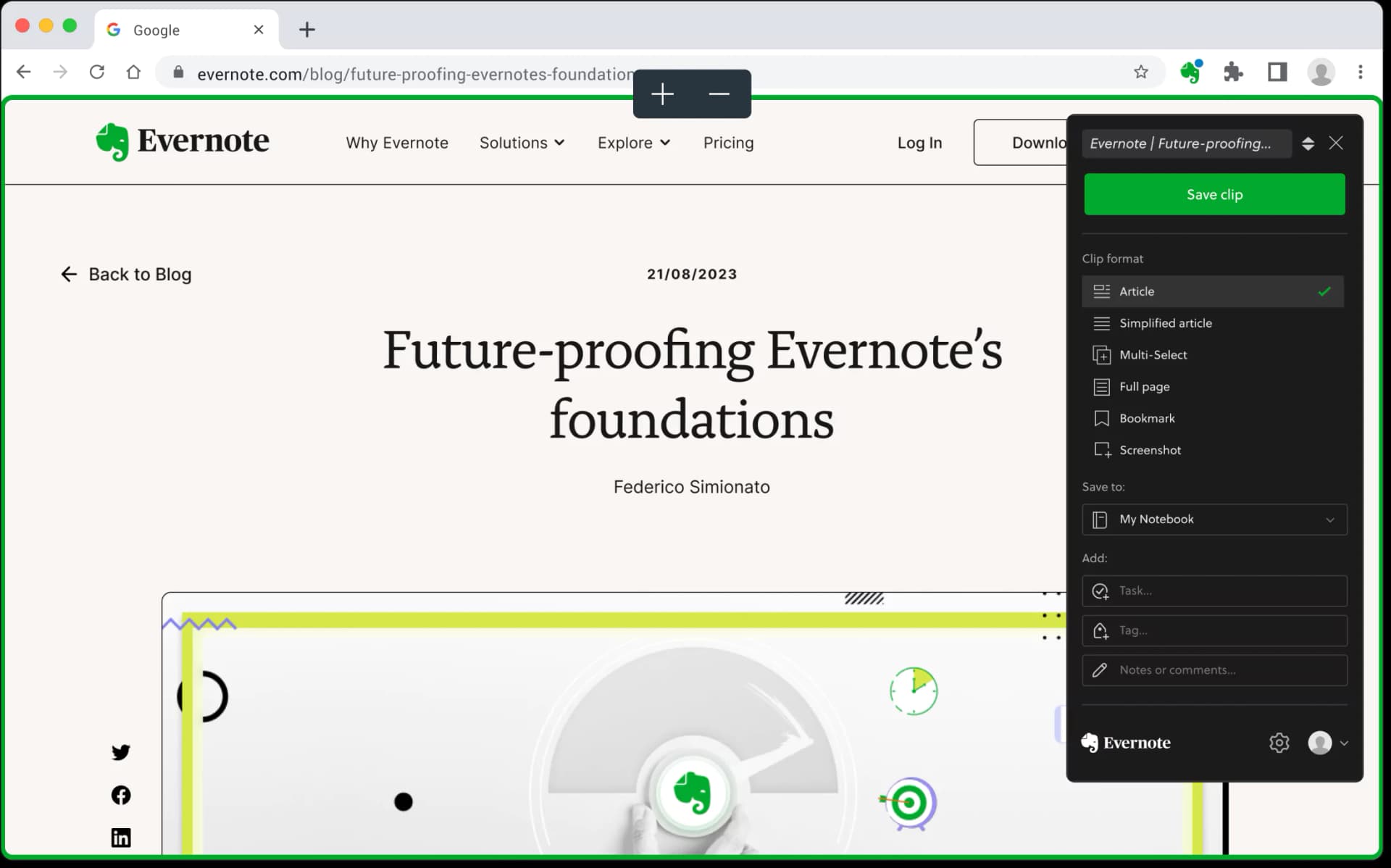
Evernote remains a reliable note-taking and organization tool for professionals and students.
Key Features
- Digital note organization
- Web clipping for saving online content
- Document scanning
- Powerful search functionality
- Cross-platform synchronization
Evernote is particularly useful for research, idea collection, and long-term information storage.
9. Forest

4
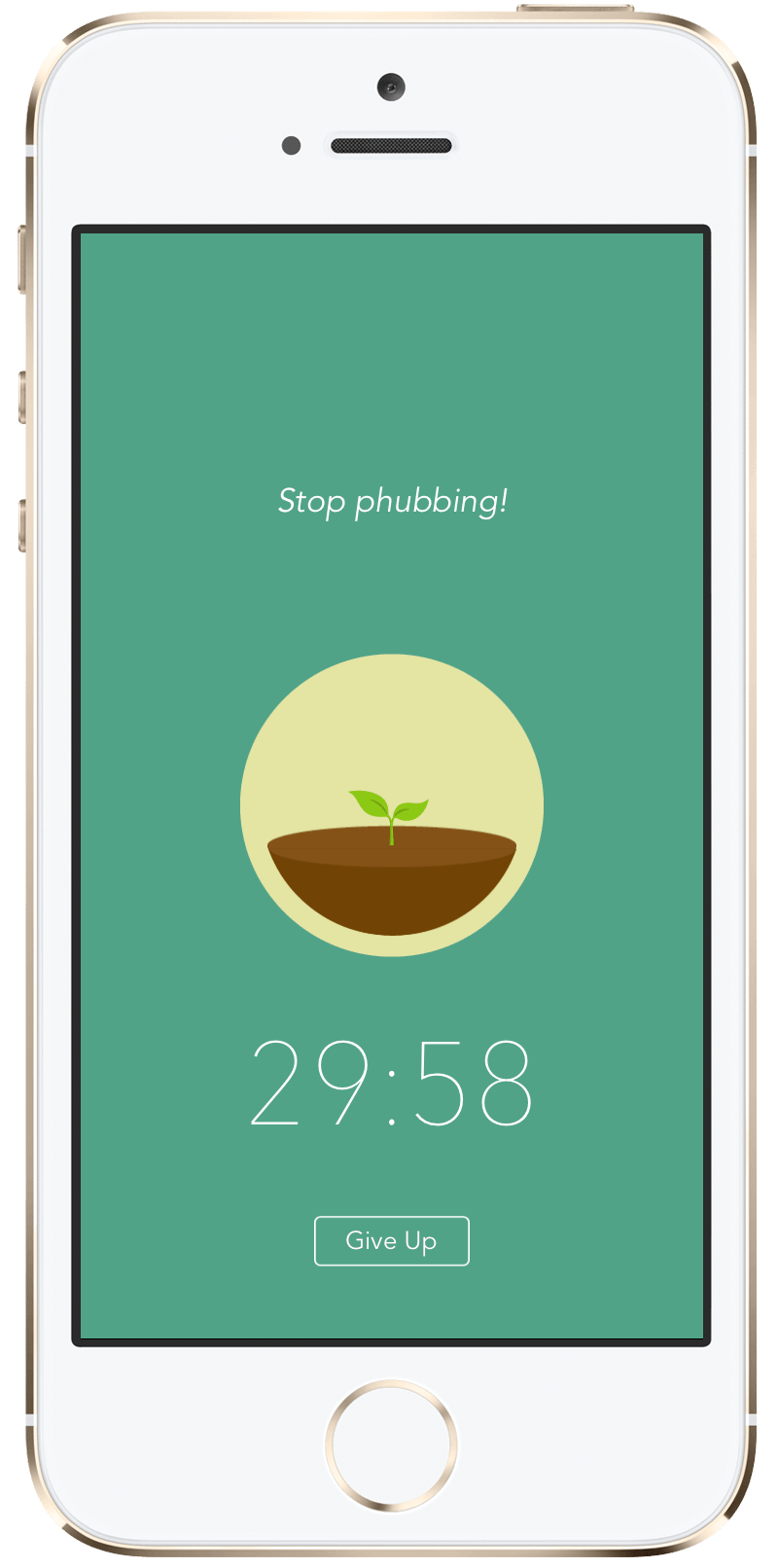
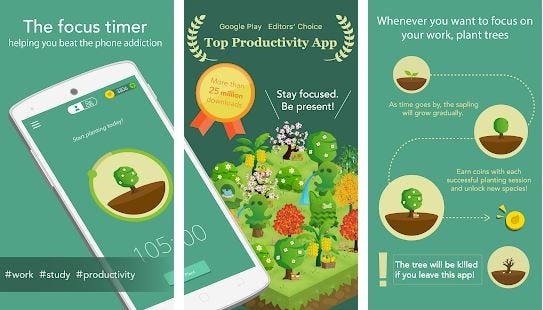
Forest takes a unique approach to productivity by helping users stay focused through gamification.
Key Features
- Focus timer for deep work sessions
- Gamified productivity system
- Digital tree-growing reward mechanism
- Reduced smartphone distractions
- Motivation for better concentration
Forest is especially popular among students and remote workers who struggle with digital distractions.
10. RescueTime

4
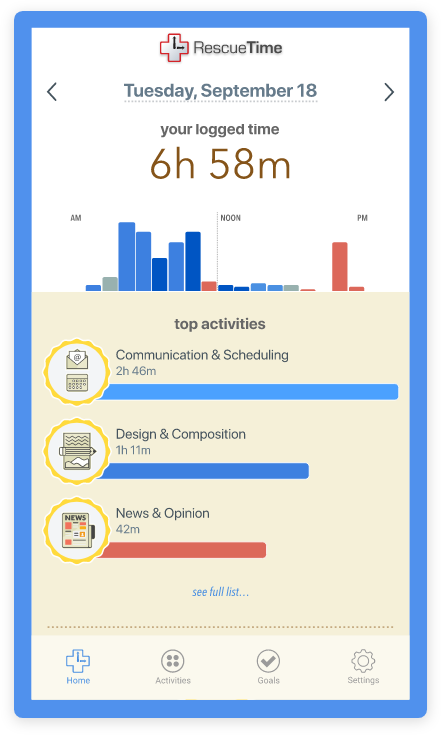
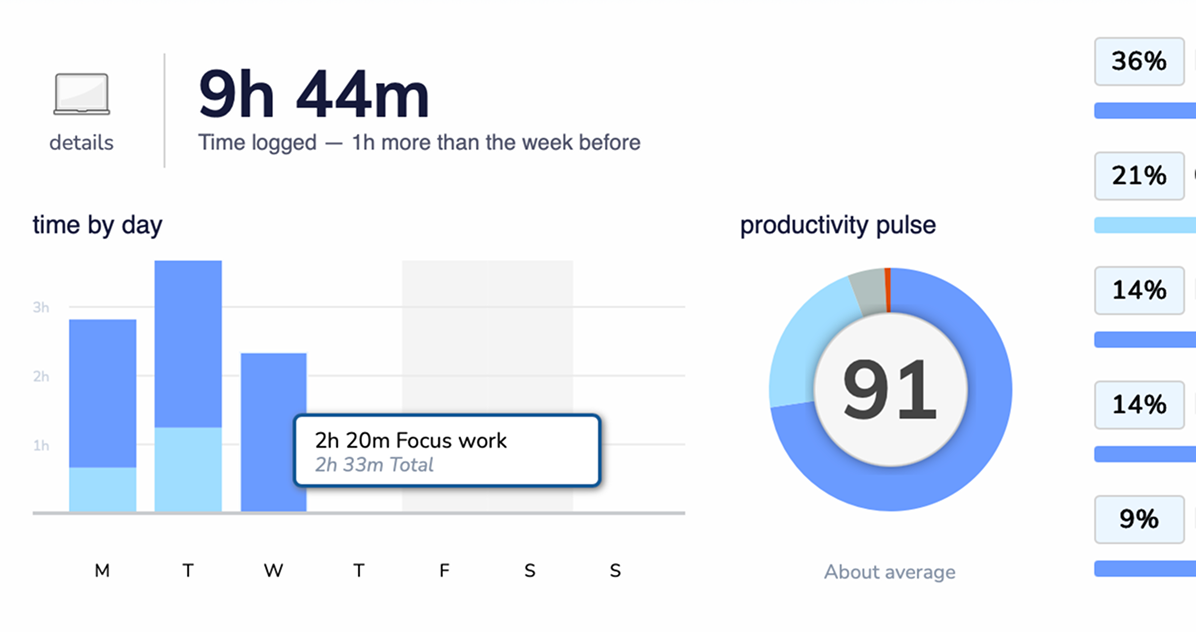
RescueTime helps users understand how they spend their time on digital devices and identify opportunities to improve productivity.
Key Features
- Automatic time tracking
- Detailed productivity reports
- Website and app usage analysis
- Focus mode to block distractions
- Goal setting and performance insights
This app is ideal for professionals who want to optimize their work habits and eliminate time-wasting activities.
How Productivity Apps Improve Daily Workflows
Productivity apps are not just tools—they are digital assistants that help streamline work and improve focus.
Better Task Organization
Users can easily plan daily activities, track progress, and prioritize important work.
Improved Team Collaboration
Cloud-based platforms allow teams to communicate, share files, and collaborate in real time.
Automation of Repetitive Tasks
Automation features save time by reducing manual work.
Enhanced Focus and Time Management
Many apps include features such as focus timers, time tracking, and productivity analytics.
Together, these tools create a more organized and efficient workflow.
Tips for Choosing the Right Productivity Apps
With so many options available, selecting the best productivity apps depends on your needs.
Identify Your Goals
Determine whether you need help with task management, note-taking, team communication, or time tracking.
Choose Apps with Integrations
Apps that integrate with other tools create smoother workflows.
Prioritize Simplicity
The best productivity tools are easy to use and reduce complexity rather than add to it.
Ensure Cross-Platform Access
Apps that work across mobile devices, tablets, and computers provide maximum flexibility.
Conclusion
In 2026, productivity apps are transforming the way people work, study, and manage their time. From task management and team collaboration to focus tools and cloud storage, these applications help individuals stay organized and accomplish more in less time.
Apps like Notion, Todoist, Trello, and ClickUp offer powerful solutions for managing projects and workflows, while tools like Forest and RescueTime help users build better focus and productivity habits.
As technology continues to evolve, productivity apps will become even smarter with artificial intelligence, automation, and deeper integrations. By choosing the right tools and using them effectively, individuals and teams can unlock higher levels of efficiency and success in today’s digital world.